What You Will Learn in This Guide
1. What an Expert Advisor (EA) is in plain language and how it works inside MetaTrader.
2. The difference between an EA, a forex robot, and a trading bot.
3. The different types of EAs and which are appropriate or dangerous for beginners.
4. A complete step-by-step guide to installing and running an EA on MT4 or MT5.
5. The key settings every EA has and what each one means for your risk.
6. How to properly test an EA before risking real money.
7. The red flags that reveal a fraudulent or dangerous EA before you lose money to it.
8. Whether EAs are allowed on prop firm challenges and which strategies are banned.
9. A balanced, honest assessment of whether EA trading is right for you as a beginner.
Introduction
If you have spent any time in Forex trading communities, you have heard about Expert Advisors. Someone in your trading group runs a bot that trades while they sleep. A social media post shows a phone notification of profits made during the night without a single manual trade. An online seller claims their EA generates consistent returns month after month with minimal effort.
The appeal is obvious. The Forex market runs 24 hours a day, five days a week. No human can monitor charts continuously. Emotions cause trading mistakes that a machine would never make. The idea of automating a profitable strategy and letting it run without constant supervision is genuinely attractive.
But the reality of EA trading is more complex than the marketing suggests. EAs can be powerful tools when used correctly by traders who understand what they are doing. They can also drain accounts rapidly when used by beginners who do not understand the risks, who buy fraudulent products, or who automate strategies that have not been properly validated.
This guide covers everything a beginner needs to know about Expert Advisors: what they are, how they work, how to install one, what the settings mean, how to test one properly, how to identify scams, and most importantly, how to think about whether EA trading fits your current stage of development as a trader.
An EA does not have an edge. It executes an edge that a trader has already found, validated, and defined. The EA is the tool that removes execution errors and emotional interference from a strategy that already works. Buying an EA hoping it contains someone else’s edge is not trading. It is gambling on trust.
Section 1: What Is an Expert Advisor?
An Expert Advisor, commonly called an EA, is a software program that runs inside the MetaTrader trading platform either MetaTrader 4 (MT4) or MetaTrader 5 (MT5) and automatically executes trades based on a predefined set of rules. You attach the EA to a chart, set its parameters, and it monitors price movements continuously, placing buy and sell orders whenever its programmed conditions are met without any manual input from you.
EAs are written in programming languages called MQL4 (for MetaTrader 4) and MQL5 (for MetaTrader 5). These are specialised programming languages developed by MetaQuotes, the company that created MetaTrader, specifically for building trading tools and automation.
The Three Things an EA Can Do
- Analyse the market: An EA reads price data in real time, calculates indicator values (such as moving averages, RSI, or Bollinger Bands), and determines whether current market conditions match its programmed entry criteria.
- Execute trades: When entry conditions are met, the EA places a buy or sell order instantly, sets the stop loss and take profit levels, and manages the position according to its programmed trade management rules.
- Manage risk: A well-built EA calculates position size based on account balance and the risk percentage defined in its settings, ensuring consistent risk management without human calculation errors.
EA vs Forex Robot vs Trading Bot
These three terms are often used interchangeably but have a technical distinction worth understanding.
- Expert Advisor (EA): The official MetaQuotes term for any automated program running on MetaTrader. All EAs are forex robots by the broader definition, but not all forex robots are EAs in the technical sense.
- Forex Robot: A general marketing term for any automated trading program. It encompasses EAs on MetaTrader and also automated tools on other platforms such as cTrader, TradingView Pine Script strategies, or third-party API-based systems.
- Trading Bot: A broader term used most frequently in cryptocurrency trading contexts. In Forex, trading bot and forex robot are effectively synonymous. When used on MetaTrader specifically, a trading bot is an EA.
For the purposes of this guide, EA and automated trading system refer to the same thing: a program running on MetaTrader 4 or 5 that places trades automatically.
How an EA Differs from an Indicator
Many beginners confuse EAs with indicators. The distinction is important. An indicator is a read-only tool: it calculates and displays information on your chart but cannot place trades. Moving averages, RSI, MACD, and Bollinger Bands are all indicators. They show you data. They take no action.
An EA is an action-taking program. It can read indicator values, make decisions based on those values, and execute trades directly on your account. An EA can also include its own built-in calculation logic without requiring separate indicator files, though many EAs are built to reference external indicators installed on the same terminal.
Section 2: How an EA Works Inside MetaTrader
Understanding the mechanics of how an EA operates helps you use one more intelligently and troubleshoot problems when they occur.
The Basic Operating Cycle
When you attach an EA to a chart in MetaTrader, it begins running on every new price tick or candle, depending on how it is programmed. On each cycle, the EA follows a simple sequence:
- Read price data: The EA accesses current and historical price data for the chart it is attached to, including open, high, low, close prices and volume if available.
- Calculate conditions: The EA evaluates its programmed entry and exit conditions. For example: is the 10-period moving average above the 50-period moving average on the current candle? Is RSI below 30? Has price crossed above a support level?
- Check existing positions: The EA checks whether it already has open positions and whether any trade management rules (such as moving to break-even or trailing the stop) need to be applied.
- Execute action or wait: If conditions are met for a new entry and no conflicting rules prevent it, the EA places an order. If conditions are not met, it waits for the next tick or candle and repeats the cycle.
The Role of the Chart Timeframe
The chart you attach an EA to determines the timeframe on which it operates. An EA attached to a 15-minute EUR/USD chart will evaluate its conditions on each new 15-minute candle. An EA attached to an H1 chart will check conditions on each new hourly candle. The same EA will behave differently on different timeframes because the frequency and nature of signals changes with the timeframe.
Most EA developers specify the recommended timeframe in the EA documentation. Always use the timeframe the EA was designed and backtested on. Running an EA on a different timeframe from its design will produce results that were never validated.
What Happens When Your Computer Is Off
This is one of the most important practical points about EA trading. MetaTrader EAs run locally on your computer or device. When your computer is turned off, loses internet connection, or MetaTrader is closed, the EA stops running. Any open positions remain open on your broker’s server, but the EA is no longer monitoring or managing them.
For traders who want their EA to run continuously without depending on their personal computer being on, the solution is a Virtual Private Server (VPS). A VPS is a remote computer that stays online 24 hours a day, 7 days a week. You install MetaTrader on the VPS, attach your EA, and it runs uninterrupted regardless of what happens to your personal device.
For a complete guide to VPS trading, see our guide below:

Do You Need a VPS for EA Trading?
If your EA holds trades for days or weeks (swing trading EA): your computer being off overnight is manageable. Check positions when you wake up.
If your EA scalps or day trades and needs to manage positions actively throughout the day: a VPS is essential. Without one, your EA cannot trail stops, close positions at targets, or respond to market conditions while your device is off.
For beginners running an EA on demo while learning: a VPS is not required initially. When you move to a live account with an actively managed EA, a VPS becomes important.
Section 3: The Different Types of Expert Advisors
Not all EAs work the same way. Understanding the major EA types helps you identify what a particular EA is doing and assess whether its approach is appropriate for your situation.
| EA Type | How It Works | Key Risk / Note |
| Trend Following | Identifies and trades in the direction of an existing trend using moving averages or price action | Profitable in trending markets. Loses money in ranging conditions. |
| Scalping | Places dozens of short trades per day targeting 3 to 10 pips per trade | Requires tight spreads and VPS. Highly sensitive to execution quality. |
| Grid Trading | Places buy and sell orders at fixed intervals above and below a price point | Can accumulate large floating losses. Banned by many prop firms. |
| Martingale | Doubles position size after each losing trade to recover losses faster | Mathematically guaranteed to blow an account eventually. Extremely high risk. |
| Mean Reversion | Trades the assumption that price will return to its average after an extreme move | Works well in ranging markets. Fails during sustained trend breakouts. |
| News Filter EA | Pauses trading automatically around high-impact economic events | More a tool than a strategy. Often used as an add-on to other EAs. |
| Hybrid / Semi-Auto | Identifies setups and alerts the trader but requires manual approval before execution | Balances automation with human judgment. Best for beginners in EA trading. |
The Most Important Warning: Martingale and Grid EAs
Martingale and Grid EAs Are the Biggest Risk for Beginners
Martingale EAs double the position size after each losing trade. The logic seems sound: eventually a win will recover all previous losses. The mathematical reality is that a sustained losing streak (which every strategy eventually experiences) can produce position sizes large enough to wipe the account before the winning trade arrives.
Grid EAs place buy and sell orders at fixed intervals both above and below the current price. When price trends strongly in one direction, the grid accumulates large floating losses in the opposite direction. These floating losses can exceed the account equity before price reverses.
Both strategies appear to produce smooth equity curves for extended periods and then blow up suddenly. Many traders do not understand the risk until it is too late. Always ask any EA vendor directly: does this EA use martingale or grid logic? If the answer is yes or unclear, treat the EA as high risk.
Section 4: How to Install an EA on MetaTrader – Step by Step
Installing an EA on MetaTrader 4 or 5 follows the same basic process regardless of where the EA came from. Here is the complete step-by-step process.
Step 1: Obtain the EA File
An EA comes as a file with one of two extensions. An .ex4 file is a compiled EA for MetaTrader 4. An .ex5 file is a compiled EA for MetaTrader 5. A file with an .mq4 or .mq5 extension is the source code, which MetaTrader can compile into a usable EA. When you download or purchase an EA, you will receive one of these file types.
Note: An .ex4 EA will not work on MetaTrader 5 and vice versa. Always confirm whether the EA you are using is compatible with the version of MetaTrader your broker provides. Exness provides both MT4 and MT5. Confirm which version you are running before downloading any EA.
Step 2: Place the File in the Correct Folder
Open MetaTrader on your computer. In the top menu, click File, then Open Data Folder. This opens the MetaTrader data directory on your computer. Navigate to the MQL4 folder (for MT4) or MQL5 folder (for MT5), then into the Experts subfolder. Copy your EA file into this Experts folder.
Step 3: Refresh MetaTrader
Return to MetaTrader. In the Navigator panel on the left side of the platform, right-click on Expert Advisors and select Refresh. Your newly added EA should now appear in the list under Expert Advisors in the Navigator.
Step 4: Attach the EA to a Chart
Open the chart you want the EA to run on for example, EURUSD on the H1 timeframe. Drag the EA from the Navigator panel onto the chart, or double-click it. A settings window will appear where you configure the EA’s parameters.
Step 5: Configure the EA Parameters
Every EA has configurable inputs that control its behaviour. The specific parameters depend on the EA, but most include some version of the following:
- Lot size or risk percentage: How large each trade will be. Fixed lot size (e.g. 0.01 lots) or percentage of account balance (e.g. 1% risk per trade). Always start with the smallest available lot size on demo.
- Stop loss and take profit: The number of pips for the stop loss and take profit on each trade. Some EAs calculate these dynamically. Others require you to set fixed values.
- Magic number: A unique identifier number assigned to trades placed by this specific EA. Important when running multiple EAs on the same account, each needs a different magic number so they do not interfere with each other.
- Trading hours: Some EAs allow you to restrict trading to specific hours of the day. Useful for avoiding low-volume sessions or high-impact news windows.
- Maximum spread filter: Prevents the EA from opening trades when the spread exceeds a defined maximum. Protects against wide spreads during news events.
Step 6: Enable Automated Trading
Before the EA can place any trades, you must enable automated trading in MetaTrader. Click the AutoTrading button in the toolbar at the top of the platform, it looks like a play button with a small chart icon. When automated trading is enabled, the button appears green or highlighted. When the EA is active on a chart, you will see a small smiley face icon in the top-right corner of that chart. A frowning face or an ‘x’ icon means automated trading is disabled and the EA will not place trades.
Common Reason EAs Do Not Trade After Installation
The most frequent reason a newly installed EA places no trades is that the AutoTrading button is not enabled. Check this first before assuming the EA has a problem.
Other common causes: the EA is not attached to the correct chart timeframe, the account balance is too low to meet the minimum lot size, or the EA has a time filter that excludes the current trading hours.
Section 5: How to Test an EA Before Risking Real Money
The single most important rule in EA trading is this: never run an EA on a live account before testing it thoroughly on a demo account. This rule sounds obvious but is violated by a significant number of traders who lose real money to an EA they never properly evaluated.
Stage 1: Backtest Using the MetaTrader Strategy Tester
MetaTrader has a built-in Strategy Tester that runs the EA against historical price data and shows you how it would have performed in the past. To access it in MT4, click View in the top menu, then Strategy Tester. In MT5, it is under View, then Strategy Tester as well.
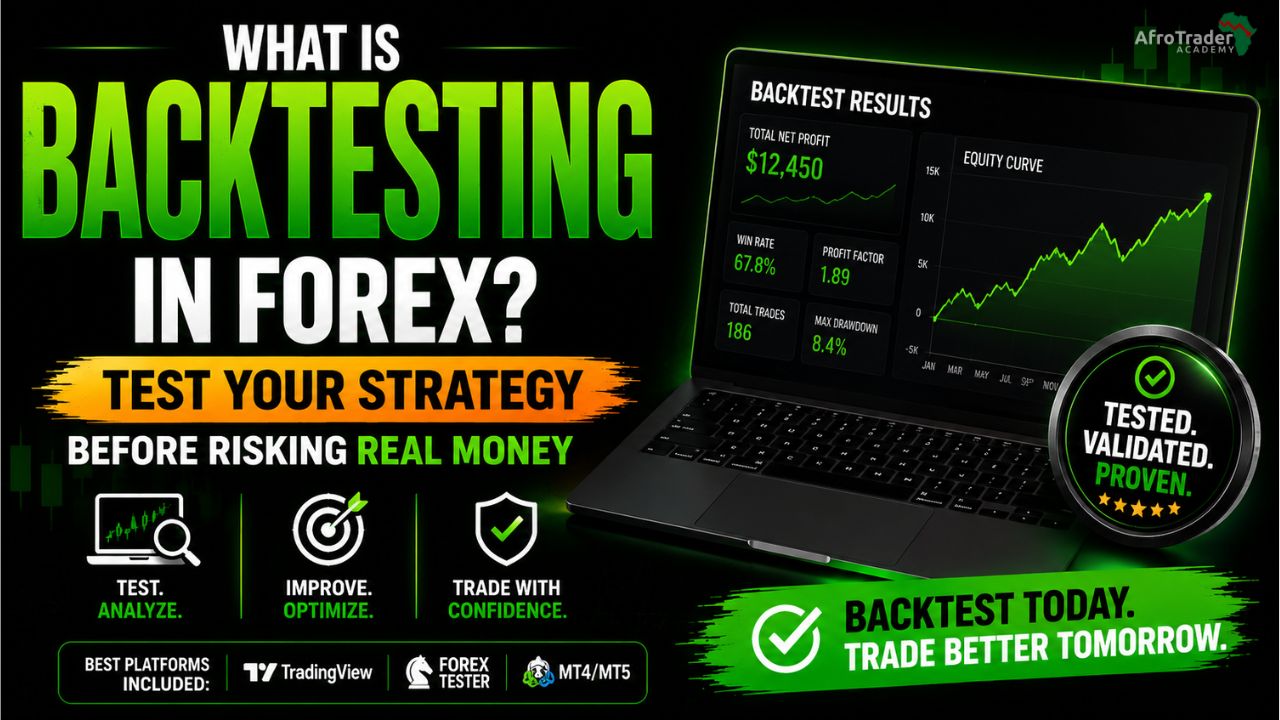
In the Strategy Tester, select your EA from the dropdown, choose the instrument and timeframe, set the date range to at least 12 months (preferably 2 to 3 years), and run the test. The results show your total profit and loss, number of trades, win rate, maximum drawdown, and profit factor.
Evaluate the backtest results carefully. A profit factor below 1.5 is insufficient margin. A maximum drawdown above 30% of the tested capital is dangerously high. A suspiciously smooth equity curve with minimal drawdown likely indicates curve-fitting to historical data rather than a genuine edge.
For more details on how to read backtesting results, see the our full guide on backtesting below:
Stage 2: Forward Test on a Demo Account
After a satisfactory backtest, run the EA on a demo account with real-time market data for a minimum of 30 trading days before considering any live deployment. The demo forward test reveals how the EA performs in current market conditions rather than historical data it may have been optimised on.
During the forward test, monitor: the win rate relative to the backtest, the drawdown levels, how the EA behaves around news events, how it responds to gaps at session opens and Monday opens, and whether the equity curve is developing in a way consistent with the backtest results.
Only proceed to a live account if the forward test results are reasonably consistent with the backtest results over a meaningful number of trades. If the forward test shows dramatically worse performance than the backtest, the EA is likely curve-fitted and will not perform in live conditions.
Stage 3: Live Account with Minimum Position Size
If the forward test is satisfactory, begin live trading with the smallest available position size on the smallest account you are comfortable risking. Even a thoroughly tested EA can behave differently in live conditions due to differences in execution speed, broker spreads, and slippage compared to backtesting conditions.
Run the EA at minimum size for at least 30 live trading days before increasing position size. This live validation phase is not optional. It is the final check that the EA performs in your specific broker environment and account conditions.
Section 6: Where to Find Expert Advisors
Option 1: Build Your Own
Building your own EA is the most reliable approach because you understand exactly what logic it is trading. You do not need advanced programming knowledge to create a simple EA. MetaTrader’s MetaEditor application (included with MetaTrader) provides a built-in development environment, and the MQL5 Wizard can generate basic EA code from a strategy description without manual coding.
For traders with programming experience, MQL4 and MQL5 are well-documented languages with extensive community resources at mql5.com. For traders without coding experience, tools like EA Builder, ForexEA Builder, and similar drag-and-drop EA creation tools allow you to define your strategy rules visually and generate the MQL code automatically.
The advantage of building your own EA is complete transparency: you know exactly what rules it follows, what its theoretical edge is based on your backtesting, and how to modify it when market conditions change.
Option 2: The MQL5 Marketplace
The official MQL5 Marketplace at mql5.com is MetaQuotes’ own app store for EAs, indicators, and scripts. It hosts thousands of EAs at prices ranging from free to several hundred dollars. The marketplace requires sellers to provide verified backtesting results and allows buyers to leave reviews.
The MQL5 Marketplace is the safest external source for purchasing EAs because MetaQuotes provides a degree of vetting, the product pages include standardised backtesting statistics, and the rental model (monthly or annual subscription rather than outright purchase) allows you to test without a large upfront commitment.
Even on the MQL5 Marketplace, evaluate every EA with the same scrutiny: examine the backtesting results independently, check the live trading statistics if available, and always forward test on demo before deploying to a live account.
Option 3: Third-Party Vendors and Communities
Numerous independent vendors sell EAs through their own websites, social media channels, and trading communities. This is where the highest risks are concentrated. There is no vetting process, verification of results is difficult, and the financial incentive for sellers to make inflated claims is significant.
If you choose to evaluate a third-party EA, insist on verified live trading results through Myfxbook or FXBlue (not screenshots), a minimum of six months of live results (not just backtest data), and a demo trial period before any purchase. The red flags section below covers what to look for in detail.
Option 4: Free EAs from Community Forums
The MQL5 community forums and sites like ForexFactory host thousands of free EAs shared by community members. Many are educational examples rather than production-ready systems, but some have genuine merit. The same evaluation process applies: backtest, forward test on demo, then live at minimum size. Never assume a free EA is safe simply because it costs nothing.
Section 7: Red Flags – How to Identify a Fraudulent or Dangerous EA
The EA market contains a significant number of fraudulent products, overoptimised systems, and genuinely dangerous strategies marketed with professional-looking websites and compelling equity curve screenshots. These red flags will help you identify problematic EAs before you lose money to them.
| Red Flag | Why It Matters |
| Guaranteed profit claims | No EA can guarantee profit. Markets are uncertain by nature. Any claim of guaranteed returns is fraudulent. |
| Only screenshot evidence | Real verified results come from Myfxbook or FXBlue, not screenshots which can be easily manipulated. |
| No backtest data provided | A legitimate EA developer will always provide backtest results including drawdown, win rate, and profit factor. |
| No demo testing period offered | Any credible EA seller offers a demo trial. Refusal to allow demo testing is a serious warning sign. |
| Requires account credentials | Never share your broker login with any EA vendor. A legitimate EA only requires installation on your terminal. |
| Too-good-to-be-true equity curves | A perfectly smooth upward equity curve with no drawdown is almost certainly curve-fitted or fabricated. |
| Uses martingale or grid (hidden) | Some EAs hide their risk methodology. Always ask explicitly whether the EA uses martingale or grid logic. |
| Pressure to buy quickly | High-pressure sales tactics, countdown timers, and limited-time offers are marketing manipulation, not quality. |
How to Verify EA Performance Independently
The only independently verifiable source of live EA trading performance is a third-party tracking service that connects directly to a live brokerage account and records every trade automatically. The two most widely used for this purpose are Myfxbook (myfxbook.com) and FXBlue (fxblue.com).
When evaluating an EA, ask the vendor for a Myfxbook or FXBlue verified live account link. The link shows every trade, the account balance history, the drawdown history, and the strategy statistics in a format that cannot be manipulated. If the vendor cannot provide this link for a live account that has been running the EA for at least three months, treat the absence as a significant red flag.
Screenshots of MetaTrader account history, screenshots of profit notifications, and backtest results presented without the underlying .ex4 file for independent verification are all insufficient as proof of performance.
Section 8: Expert Advisors and Prop Firm Challenges
If you plan to use an EA on a prop firm challenge, understanding which EA types are permitted and which are banned is essential knowledge before purchasing any challenge.
Which EAs Are Allowed on Most Prop Firms
- Trend following EAs: Generally permitted by all five firms in our top 5 list (FTMO, FundedNext, FundingPips, Alpha Capital, and The5ers) provided the EA does not violate the firm’s specific rules around news trading or consistency.
- Semi-automated EAs: EAs that identify setups and place alerts but require manual confirmation are permitted everywhere. They are the safest EA type for prop firm use.
- Custom-built EAs based on your own strategy: Permitted provided the underlying strategy does not breach the firm’s rules.
Which EAs Are Banned on Most Prop Firms
Banned EA Strategies on Most Prop Firms
Martingale: Explicitly banned by FTMO, FundedNext, FundingPips, and most other reputable firms. The progressive risk increase violates risk management principles.
Grid trading: Banned by most firms because of the potential for large floating drawdowns that violate the maximum drawdown rule.
Arbitrage: All forms of arbitrage including latency arbitrage, statistical arbitrage, and cross-broker arbitrage are banned on every major prop firm.
High-frequency trading (HFT): Banned by most firms. Some define this as more than a certain number of trades per day or trades held for less than a minimum duration.
Copy trading between your own accounts: Using an EA to copy trades from a challenge account to a personal account or between multiple challenge accounts is banned.
Always check the specific rules of your firm. What is permitted varies between firms and programmes.
The News Trading Question
Many EAs continue trading through high-impact news events. Prop firms have varying policies on this. FundingPips bans trading within 5 hours of high-impact events on funded accounts. FundedNext credits only 40% of profits on news-adjacent trades. FTMO permits standard news trading but bans bracket strategies placed specifically to profit from news spikes.
If you plan to run an EA on a prop firm challenge, add a news filter to the EA’s settings or use a separate news filter EA to automatically pause trading around high-impact events during your challenge. This eliminates the risk of an unattended EA trading through a news event that violates your firm’s policy while you are away from your screen.
For a complete prop firm guide, check out our top 5 recommended prop firms for beginners:

Section 9: Manual Trading vs EA Trading – An Honest Comparison
| Factor | Manual Trading | EA Trading |
| Emotional control | Subject to fear, greed, revenge trading | Executes rules exactly as programmed, no emotion |
| Execution speed | Seconds to minutes, human reaction time | Milliseconds, instantaneous on signal confirmation |
| Consistency | Varies with mood, fatigue, and life events | 100% consistent, same rules every single time |
| Hours of operation | Limited to when you are at your screen | 24 hours per day, 5 days per week, unattended |
| Multiple pairs | Difficult to monitor more than 2 to 3 pairs | Can monitor unlimited pairs simultaneously |
| Adaptability | Can read context and adjust to unusual events | Cannot adapt – follows fixed rules regardless of context |
| Setup requirement | Only requires knowledge and a trading plan | Requires backtesting, configuration, and monitoring |
| Skill development | Every trade builds judgment and intuition | Does not build trader skill, it operates independently |
| Response to news | Can react intelligently to fundamental events | May trade through news events unless filtered in code |
| Cost | Only requires your broker account | Free (build yourself) to thousands of dollars (premium) |
The Question Beginners Do Not Ask: Should I Even Use an EA Yet?
Most beginner traders who ask about EAs are attracted to automation for the wrong reason: they want to skip the difficult part of developing as a trader. They hope an EA will generate income without requiring the knowledge, strategy development, and psychological discipline that manual trading demands.
This approach almost always fails. An EA without a validated strategy has no edge. An edge cannot be automated before it is found and validated. Finding and validating an edge requires learning to trade manually, backtesting, forward testing, and developing genuine understanding of market behaviour. The EA is the final step that automates what you have already proven works. It is not the substitute for that work.
The traders who use EAs most successfully are those who also understand manual trading. They built the strategy the EA runs. They understand why the strategy works. They know when market conditions have changed in a way that requires the EA to be adjusted or paused. They can identify problems in EA performance because they understand what the strategy should be doing.
If you are in the early stages of your trading education, the most productive use of your time is developing manual trading skills and a validated strategy. When that foundation exists, automating it with an EA becomes a meaningful productivity upgrade rather than a gamble on someone else’s system.
Section 10: EA Trading Considerations for African Traders
Internet Connectivity and the VPS Requirement
Reliable internet connectivity is essential for EA trading. In many parts of Africa, internet connections can be intermittent, subject to power outages, or slower than the latency requirements for some high-frequency EAs. If your home internet connection is unreliable, running a scalping or high-frequency EA on your personal computer will produce inconsistent results because the EA will stop during outages and may miss trades, execute at incorrect prices, or fail to close positions at their targets.
For African traders running any EA that needs to operate continuously and respond quickly to price changes, a VPS located in a data centre near your broker’s servers is the practical solution. Most major VPS providers offer servers in London, New York, and Amsterdam that provide low-latency connections to brokers whose servers are in those locations. At current prices, a suitable VPS costs between $5 and $20 per month, which is a reasonable infrastructure cost for serious EA deployment.
Exness and EA Compatibility
Exness, the primary broker used by most AfroTrader Academy traders, supports EA trading on both MetaTrader 4 and MetaTrader 5. Exness permits most EA types on standard accounts. The specific restrictions that apply are consistent with industry norms: arbitrage strategies exploiting latency between brokers are not permitted, and any strategy that attempts to exploit technical pricing anomalies rather than genuine market analysis is subject to restriction.
Exness provides a VPS service directly through the platform for accounts that meet minimum trading volume requirements. If you qualify, the Exness-hosted VPS is an efficient option because it is located close to Exness servers and provides very low latency execution for EAs.
EA Scams Targeting African Traders
It is important to address this directly. The African trading community is actively targeted by fraudulent EA sellers who use social media advertising, WhatsApp groups, and Telegram channels to promote EAs claiming guaranteed monthly returns of 20%, 50%, or more. These claims are false without exception. No EA produces guaranteed returns, and the specific return figures promoted in these campaigns are fabricated.
The typical pattern: a seller posts screenshots showing consistent profits, charges a fee for the EA or requires you to fund an account through their referral link, and the EA either stops working after a short period of apparent gains or was always running a martingale strategy that eventually loses the account. If you are approached about an EA through social media or WhatsApp by someone you do not know, treat it as a scam until independently verified through Myfxbook or FXBlue verified live results.
Final Thought
Expert Advisors are a legitimate and powerful tool in professional trading. They remove emotional interference, eliminate execution delays, and allow a validated strategy to run consistently without requiring constant screen time. Used correctly, by a trader who understands what they are automating and has validated the strategy independently, an EA can meaningfully improve trading productivity.
Used incorrectly, as a shortcut around the need to develop genuine trading knowledge, or as a black-box system purchased from an unverified vendor, an EA is a faster and more efficient way to lose money than manual trading. The automation that removes your emotional errors will also remove your ability to pause and reconsider when conditions change.
The right sequence for any trader considering EA trading is: first develop a manual strategy through backtesting and forward testing, then build or commission an EA that automates exactly those rules, then test the EA thoroughly on demo before any live deployment. That sequence produces traders who use EAs as a productivity tool. Skipping to the last step produces traders who have lost money to someone else’s untested system.
If you are at the beginning of your trading journey, focus on developing your manual skills first. The EA will still be there when your foundation is ready for it.
Risk Warning & Disclaimer
Trading Forex, Synthetic Indices, Cryptocurrencies and other leveraged financial instruments involves substantial risk and may not be suitable for all individuals. Leveraged trading can result in losses that exceed your initial capital. At AfroTrader Academy, we emphasize risk management, discipline and long-term consistency not shortcuts or guaranteed profits. The Academy provides educational content only and does not offer financial or investment advice. All trading decisions are the sole responsibility of the individual trader. Past performance does not guarantee future results. Please read our full Risk Disclosure and Disclaimer.


AfroTrader Academy is a professional trading education platform built to equip new and intermediate traders with the knowledge, structure, and discipline required to navigate modern financial markets. We focus on education over hype, process over profits, and skill development over shortcuts. Our mission is to help traders build a solid foundation, understand market behaviour, and develop repeatable trading frameworks they can apply independently.